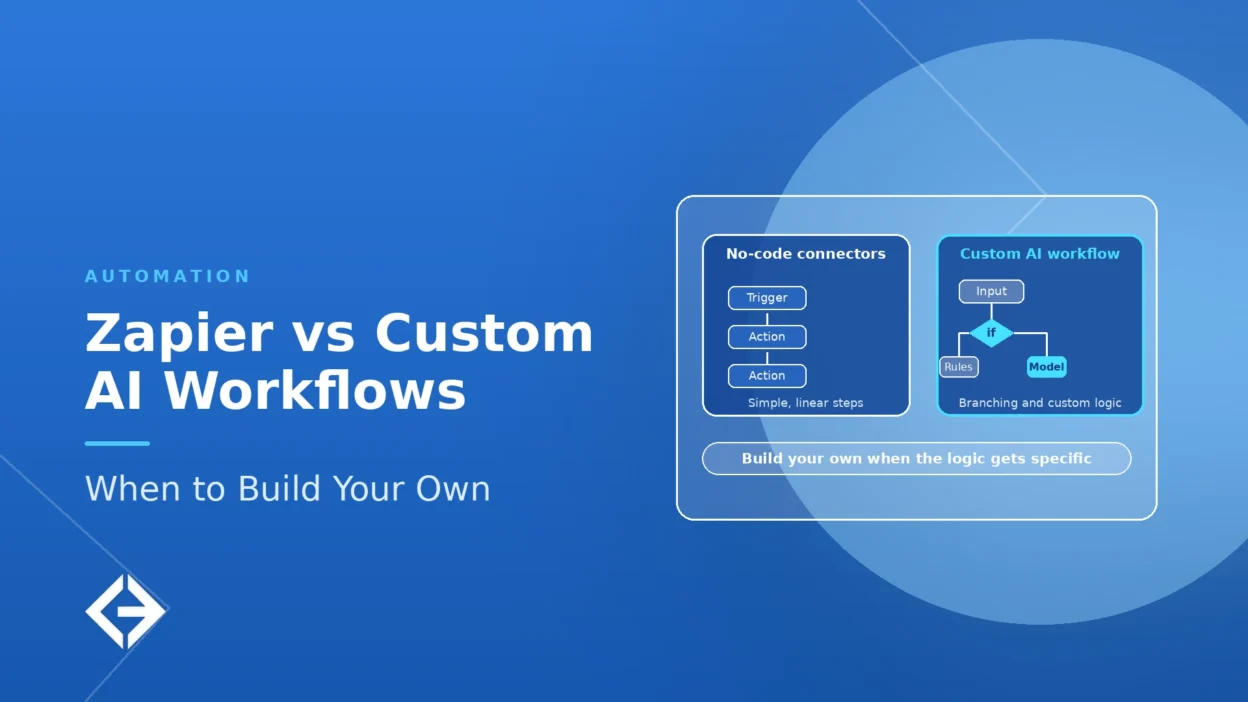

For AI workflow automation, Zapier suits standard app-to-app flows with light AI steps, which non-engineers can build in days. Build custom when per-task costs climb at volume, when runs exceed platform limits, when data must stay in your environment, or when the AI must be evaluated, versioned, traced and approved like production software. Most teams should start in Zapier, measure real usage, and move only the flows that outgrow it.
Key Takeaways
- Zapier prices by tasks: every successful action step counts, and advanced or premium AI steps count as three or five tasks, so multi-step AI flows consume allowances quickly.
- Zapier has technical limits that matter for AI work, including a 100-step cap per Zap and time and memory limits on code steps that vary by plan.
- Custom AI workflows win when you need evaluation, version control, approvals, observability, data control or logic the editor cannot express. They cost more to build and need an owner.
- The strongest pattern is hybrid: keep Zapier for triggers and simple actions, and call a custom service for the AI logic that needs control.
- Decide with data: model task volume, failure rates and review needs for each workflow before choosing.
Talk to Our Team About Your Project ->
What Is AI Workflow Automation?
AI workflow automation connects the steps of a business process, such as a new lead, a support ticket or an invoice, and uses AI for the steps that need judgment: classifying, summarizing, extracting, drafting or deciding. The rest of the flow stays deterministic: move the data, update the record, send the message.
There are two broad forms. In a fixed workflow, a person designs the steps and AI performs specific ones. In an agent, the AI decides which steps to take, using tools. Zapier offers both: Zaps with AI steps, and separate agent products. Custom builds can implement either, with more control over how they are tested and operated.
What Does Zapier Do Well?
Zapier is strong where speed and breadth matter more than control. Zapier’s own glossary describes it as an integration platform that connects web apps and APIs into multi-step, automated workflows, with built-in filters, paths for conditional logic and a formatter for transforming text, numbers and dates.
Fast to build: non-engineers can assemble and change flows themselves.
Broad app coverage: prebuilt connectors save you from writing and maintaining each integration. MuleSoft’s 2025 survey found only about 29% of applications in the average organization are integrated, so connector breadth has real value.
AI built in: AI steps can classify or draft inside a Zap, and Zapier also offers agents and an MCP server that lets AI tools call its actions.
Low upfront cost: there is little to build or host, so a flow can be proven in days.
For a small number of straightforward flows, this is often the right answer, and building custom would be over-engineering.
Where Do Zapier Workflows Run Into Limits?
Task-based pricing grows with steps, runs and AI
Zapier defines a task as anything it successfully completes on your behalf. Triggers, filters, paths and failed steps do not count. Every successful action step does, and AI steps are weighted: according to Zapier’s task guide, standard “AI by Zapier” steps count as one task, advanced steps as three and premium steps as five, while Zapier MCP tool calls count as two. Zapier’s Help Center confirms the MCP figure of two tasks per successful tool call.
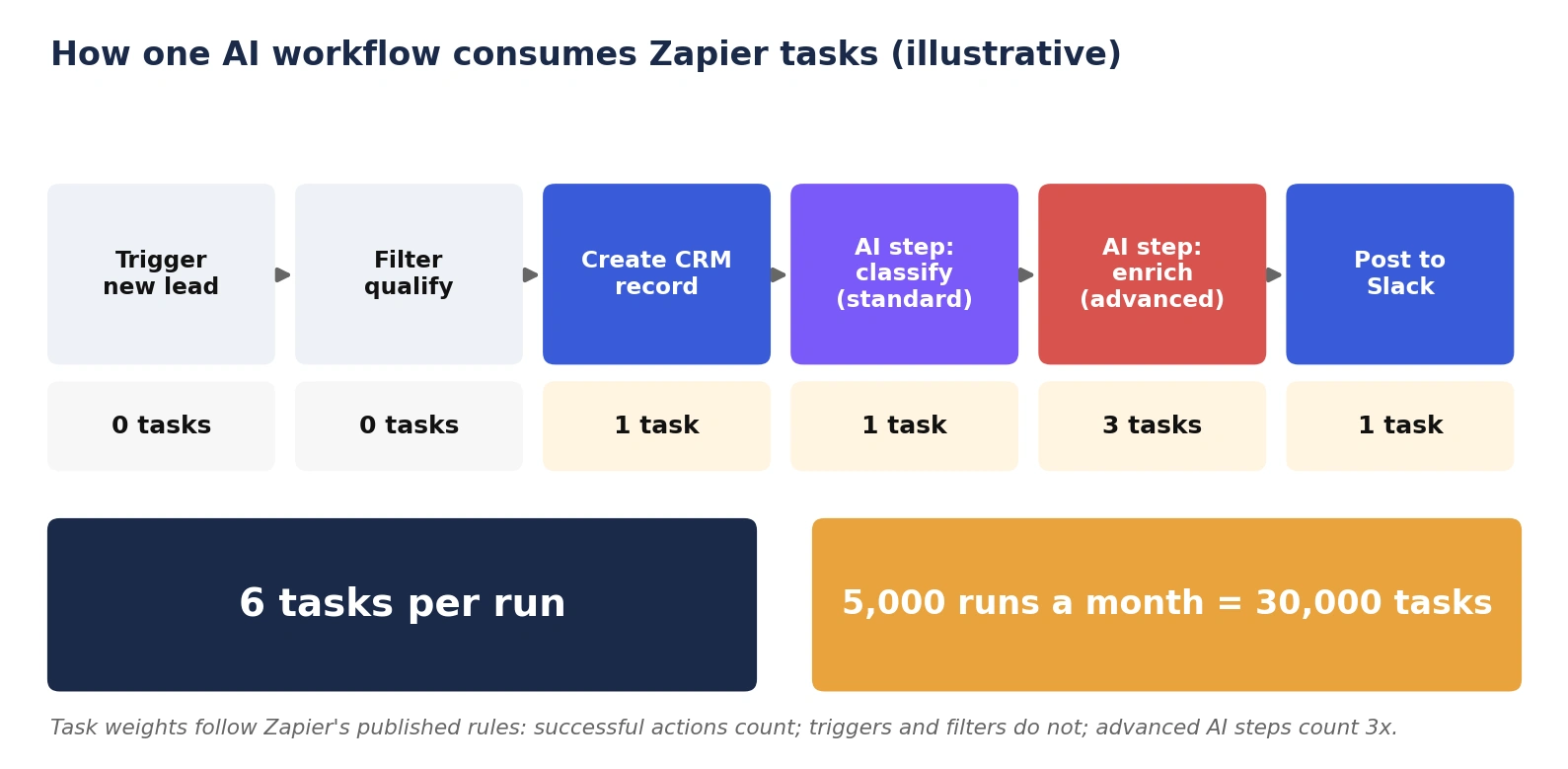
A lead-handling Zap with a CRM action, a standard AI classification, an advanced AI enrichment and a Slack message uses six tasks per run. At 5,000 runs a month, that is 30,000 tasks. Zapier also caps pay-per-task overflow at three times a plan’s task limit, so growth eventually requires a higher plan.
Plan prices and AI billing change often. In mid-2026, Zapier moved AI by Zapier steps to model-tier pricing, and agents are metered separately in activities. Check Zapier’s current pricing page before modeling costs.
Platform limits affect heavier AI work
Step cap: Zaps are limited to 100 steps, including steps inside paths; larger flows must be split into multiple Zaps.
Code step limits: Code steps run for a standard 30 seconds with 512 MB of memory on Professional and Team plans, with 2 minutes on Enterprise and 1 second on the free plan, and extended runtimes of up to 10 minutes are available on paid plans at extra task cost. Code steps support JavaScript (Node.js) and Python, and paid plans can import public npm or PyPI packages. JavaScript steps return a maximum of 250 items.
Long or heavy jobs: document processing, large batches, multi-stage agent runs and bulky payloads can exceed these limits.
Control and assurance questions to check
Instead of assuming gaps, test whether the platform supports what your workflow needs:
Can you version, test and roll back workflow logic, and run it through a release process?
Can you build an evaluation set and measure pass rates for AI steps, rather than judging by spot checks?
Can you require human approval before risky actions, and audit who approved?
Can you trace every step and the model calls behind it, and set per-run spend limits?
Where is your data processed and stored, and does that meet your obligations?
How do you control access to credentials, and how do you export your workflows if you leave?
When Should You Build Custom AI Workflows?
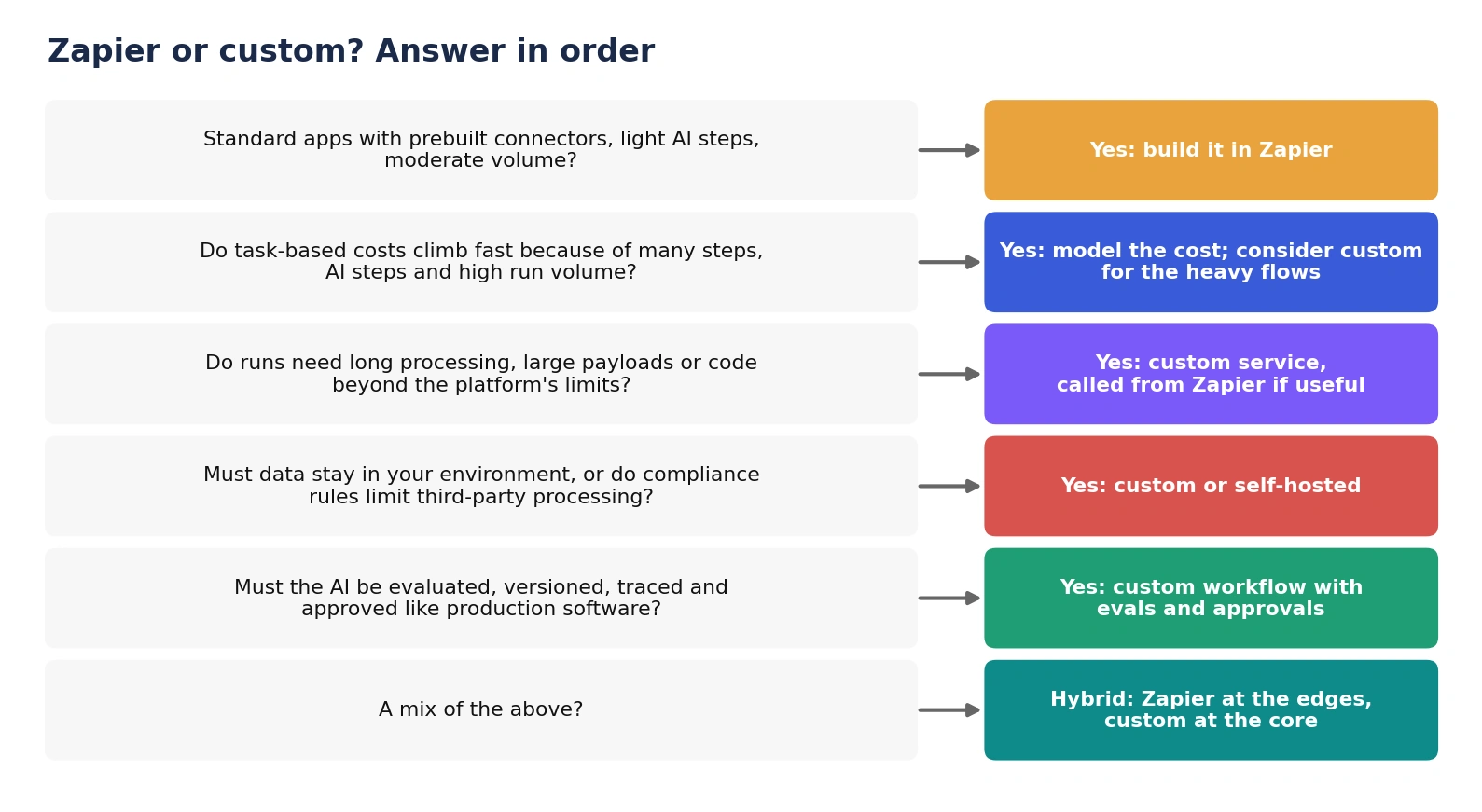
Volume makes per-task pricing expensive. High-run, multi-step flows with AI steps can consume large task allowances. Compare the platform cost with the cost of running your own service.
The work exceeds platform limits. Long-running jobs, large documents, big batches and logic beyond a short code step belong in a service you control.
Data cannot leave your environment. Regulated or sensitive data may require processing in your own cloud account or region.
The AI needs engineering discipline. Evaluation sets, pass-rate thresholds, versioned prompts, tracing and approvals are normal for production AI. Anthropic’s guidance on agent evals explains why repeated runs and graded outcomes matter when output varies. Gartner predicts that over 40% of agentic AI projects will be canceled by the end of 2027 due to cost, unclear value or inadequate risk controls.
The workflow is core to your product or margin. Logic that differentiates your business should be code you own and can test.
Reliability must be engineered. Safe retries, idempotency and failure handling matter when actions move money or records.
What Does a Custom AI Workflow Involve?
A custom workflow is a small production system, not a bigger Zap. Plan for these parts:
Orchestration: code or a workflow framework that defines steps, branches and loops. AB Ark compares frameworks in its guides to agentic AI frameworks and AI agent orchestration.
Connectors and APIs: the integrations Zapier would have supplied, which you now build and maintain.
Prompts and model calls: versioned, tested and swappable, with a plan for model retirement.
Evaluation: an agreed task set and pass thresholds, re-run before every change.
Reliability: the Amazon Builders’ Library describes idempotent operations as ones that can be retried with no additional side effects, which prevents duplicate actions when a step is retried. Combine that with bounded retries and circuit breakers; Microsoft lists Retry and Circuit Breaker as supporting patterns for resilient calls.
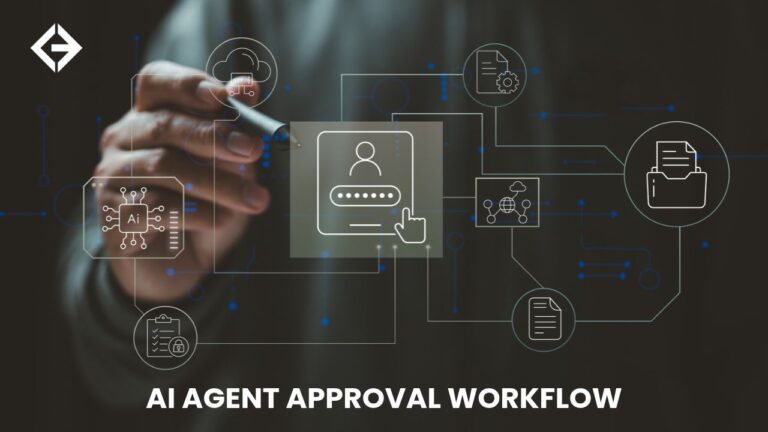
Human approval: pauses before risky or irreversible actions, with a record of who approved.
Observability: tracing of each step and model call, for example with OpenTelemetry’s GenAI semantic conventions, plus cost per run.
Security: least-privilege credentials and validation of inputs; the OWASP API Security Top 10 is a useful checklist for the APIs involved.
Ownership and operations: someone responsible for upgrades, incidents and cost.
Can You Combine Zapier and Custom Workflows?
Yes, and for many teams this is the best answer. Keep Zapier where it is strong, which is triggers from apps and simple actions, and move the AI logic that needs control into a service of your own.
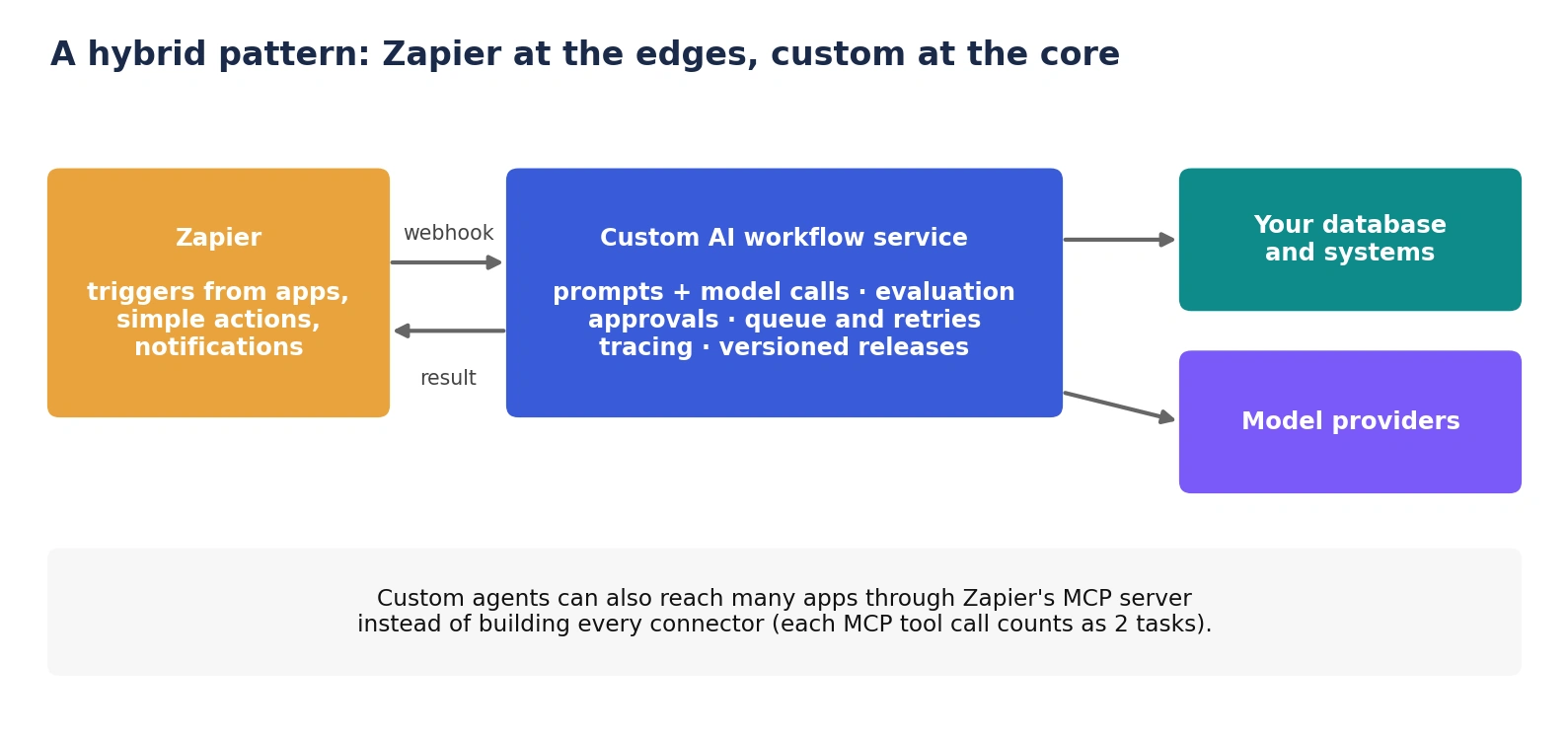
Zapier calls your service: a Zap sends data to your workflow service through a webhook and receives the result, so you keep the connectors but control the AI step.
Your service calls Zapier: a custom agent can use Zapier’s MCP server to reach many apps without building each connector. Note that each MCP tool call counts as two tasks.
Migrate gradually: start in Zapier, measure run volume, failures and review effort, and move only the flows that justify the extra engineering.
Zapier vs Custom AI Workflows: Side-by-Side
| Factor | Zapier | Custom AI workflow |
| Time to first version | Hours to days | Weeks, after scoping |
| Who can build and change it | Non-engineers | Engineers |
| Integrations | Large catalog of prebuilt connectors | Build and maintain what you need |
| Cost model | Subscription plus tasks; AI steps weighted | Build cost plus hosting, model usage and upkeep |
| Heavy or long-running work | Subject to step and runtime limits | Designed around your needs |
| Evaluation and release control | Check what the platform supports | Built to your standards |
| Data location and compliance | Data passes through the vendor | You choose where it runs |
| Ownership and portability | Workflows live in the vendor’s platform | You own code, prompts and tests |
| Best for | Standard flows, quick proof, light AI steps | High volume, sensitive data, complex or product-critical AI |
How Much Does Custom Cost Compared With Zapier?
Compare total cost, not subscription price. Zapier’s cost is a subscription that scales with task volume. A custom build has a one-off engineering cost plus recurring hosting, model usage, monitoring and maintenance. The main build cost drivers are the number of integrations, the quality of the evaluation work, security and compliance needs, and the team’s location and seniority; Accelerance’s 2026 rates guide puts senior developer partner rates at about $31 to $41 an hour in Asia, $60 to $75 in Latin America and $64 to $76 in Europe.
A practical approach is to price the same workflow both ways at your expected volume, then include the engineering time you would spend operating each option.
How AB Ark Helps With AI Workflow Automation
AB Ark Solutions builds custom software and AI agents, so it has an interest in custom builds. Its advice is to start in a tool like Zapier when the flow fits, and to build custom only where volume, control or data needs justify it. For flows that do, AB Ark builds workflows with evaluation, approvals and monitoring designed in. Examples are in its case studies, such as a 24/7 AI call agent that manages bookings across multiple branches. Teams can start with the AI agent development service.
Get a Custom Project Cost & Timeline Estimate ->
FAQs
Is Zapier good for AI workflow automation?
Yes, for standard app-to-app flows with light AI steps such as classification or drafting. Check task costs, platform limits and your needs for testing, approvals and data control as volume and risk grow.
When does Zapier become too expensive?
Zapier charges by tasks, and multi-step flows with AI steps consume several tasks per run, so high run volumes can climb through plan tiers quickly. Model task volume with Zapier’s counting rules and compare it with the cost of a custom service.
Can Zapier run AI agents?
Yes. Zapier offers agent products, an MCP server and AI steps inside Zaps. Whether they meet your needs depends on how much control, evaluation and oversight your use case requires.
Should I use Zapier, n8n or a custom build?
Use a hosted platform such as Zapier for quick, standard flows, a self-hostable platform such as n8n when you need more control without building everything, and custom code when you need engineering-grade testing, scale, data control or logic the platforms cannot express.
Can I start with Zapier and move to custom later?
Yes. Prototype in Zapier, measure volume, failures and review effort, then move the flows that outgrow it. A hybrid, where Zapier calls a custom service, makes the transition gradual.
Zapier is the fastest way to prove an AI workflow, and custom code is the best way to run one that matters. Prove first, then build only what earns it.
Schedule a Free Consultation Call ->
Head Of Engineering Department